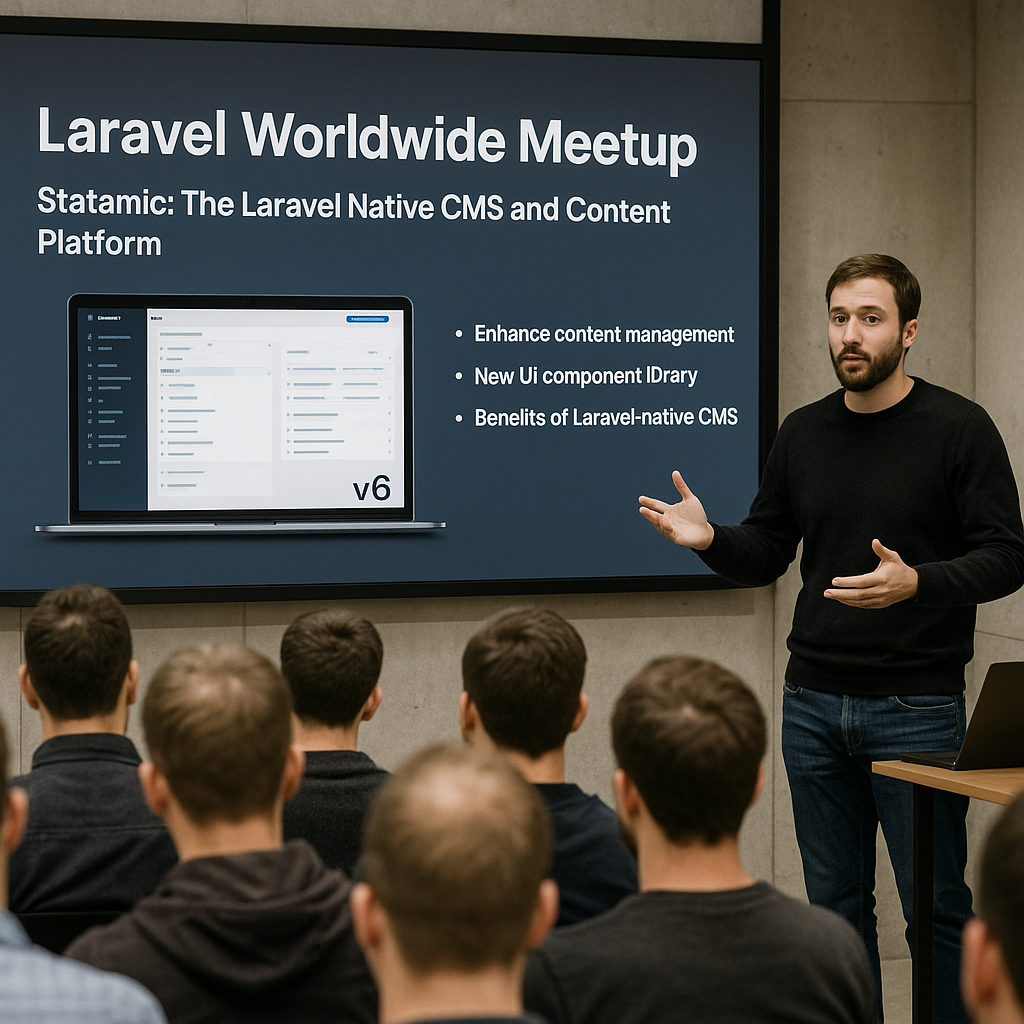
Laravel Worldwide Meetup – Statamic: The Laravel Native CMS and Content Platform
- Discover how Statamic v6 integrates seamlessly with Laravel to enhance content management.
- Learn about the new UI component library and features introduced in Statamic 6.
- Understand the benefits of using a Laravel-native CMS for modern web applications.
- Explore practical use cases and implementation strategies for Statamic in Laravel projects.
The Laravel Worldwide Meetup featuring Statamic offers a comprehensive look into the latest release of Statamic v6, a Laravel native CMS and content platform designed to simplify content management within Laravel applications. This event highlights how Statamic’s redesign and new features empower developers to build sites and apps more efficiently while maintaining the flexibility and power of Laravel’s ecosystem.
Statamic 6 introduces a modern UI component library and a range of enhancements that streamline content workflows, improve scalability, and provide a robust foundation for both simple websites and complex applications. This meetup is essential for developers seeking to leverage a CMS that feels native to Laravel and supports rapid development with rich content capabilities.
Continue Reading
What Is Statamic and Why Choose a Laravel Native CMS?
Statamic is a flat-file CMS that has evolved into a powerful content platform built specifically for Laravel developers. Unlike traditional CMSs that rely heavily on databases, Statamic leverages Laravel’s architecture, offering a seamless integration that allows developers to manage content with the same tools and conventions they use for application development.
Choosing a Laravel native CMS like Statamic means gaining the benefits of Laravel’s security, routing, and templating systems while enjoying an intuitive content management experience. This approach reduces complexity, improves performance, and accelerates development cycles.
Key Features and Enhancements in Statamic 6
Statamic 6 introduces a redesigned user interface with a new UI component library that enhances usability and developer productivity. Some of the standout features include:
- Modular UI components that enable customizable and reusable interfaces for content editing.
- Improved content modeling capabilities allowing complex data structures without sacrificing simplicity.
- Enhanced version control and collaboration tools to streamline team workflows.
- Advanced API integration for headless CMS use cases, enabling content delivery across multiple platforms.
- Optimized performance and scalability to support growing applications and high traffic demands.
These features make Statamic 6 a compelling choice for projects that require a flexible, developer-friendly CMS tightly coupled with Laravel.
How Statamic Enhances Laravel Projects
Integrating Statamic into Laravel projects offers numerous advantages. It allows developers to:
- Maintain a unified codebase using Laravel’s familiar syntax and conventions.
- Leverage Laravel’s ecosystem, including artisan commands, middleware, and service providers, for extending CMS functionality.
- Customize content workflows with Laravel’s event system and job queues.
- Implement scalable content management solutions that grow with business needs.
- Use Laravel’s security features to protect content and user data.
These benefits translate into faster development times, easier maintenance, and a more cohesive application architecture.
Practical Use Cases for Statamic in Laravel Development
Statamic is versatile enough to support a wide range of applications, from simple blogs to complex enterprise platforms. Common use cases include:
- Corporate websites requiring dynamic content updates and editorial workflows.
- E-commerce platforms where product content and marketing materials need frequent changes.
- Headless CMS setups delivering content to mobile apps, SPAs, or IoT devices.
- Portfolio sites and personal blogs benefiting from easy content management and customization.
- Multi-language sites leveraging Statamic’s localization features.
These examples demonstrate Statamic’s flexibility and its ability to enhance Laravel projects with robust content management.
Cost, Scalability, and ROI Considerations
Statamic offers a licensing model that supports both small and large projects, making it accessible for startups and enterprises alike. The flat-file nature reduces database overhead, which can lower hosting costs and improve application performance. Additionally, the tight integration with Laravel means less time spent on bridging CMS and application code, resulting in a faster time-to-market and higher return on investment.
Scalability is addressed through Statamic’s efficient caching, content versioning, and API-first design, ensuring that as your project grows, the CMS can handle increased traffic and content complexity without significant refactoring.
Risks and Challenges When Adopting Statamic
While Statamic offers many benefits, there are considerations to keep in mind:
- Developers unfamiliar with Laravel may face a learning curve when adopting Statamic.
- Flat-file CMSs can have limitations for extremely large datasets compared to traditional database-driven CMSs.
- Some advanced features require a paid license, which should be factored into budgeting.
- Integration with legacy systems may require custom development.
Understanding these challenges early helps in planning a successful Statamic implementation.
How to Get Started with Statamic in Your Laravel Project
To begin using Statamic, developers can:
- Install Statamic via Composer within an existing Laravel application or as a standalone project.
- Explore the comprehensive documentation and community resources for setup guidance.
- Leverage Statamic’s CLI tools and artisan commands to scaffold content structures and manage assets.
- Customize the UI and backend workflows using Laravel’s service container and event system.
- Deploy using Laravel’s standard deployment pipelines, ensuring smooth integration with existing infrastructure.
These steps ensure a smooth onboarding process and quick realization of Statamic’s benefits.
Community and Support
Statamic enjoys an active community of Laravel developers and content creators. The Laravel Worldwide Meetup provides an excellent opportunity to connect with experts, share best practices, and stay updated on the latest developments. Additionally, official support channels and third-party resources help ensure that developers can resolve issues and optimize their use of Statamic.
Future Outlook for Statamic and Laravel Integration
With the release of Statamic 6, the platform is poised to continue evolving alongside Laravel. Future updates are expected to deepen integration, improve developer experience, and expand capabilities for content delivery and management. This ongoing development makes Statamic a strategic choice for Laravel developers looking to build modern, content-rich applications.
Summary
Statamic 6 represents a significant advancement in Laravel content management, combining the power of Laravel with an intuitive, flexible CMS. Its new UI components, scalability, and developer-friendly features make it an ideal choice for a wide range of projects. By attending the Laravel Worldwide Meetup, developers gain valuable insights and practical knowledge to leverage Statamic effectively in their workflows.
Frequently Asked Questions
Call To Action
Join the Laravel Worldwide Meetup to explore how Statamic 6 can transform your Laravel projects with powerful, native content management features—start building better, faster, and smarter today.
[np_contact_btn]
Note: Provide a strategic conclusion reinforcing long-term business impact and keyword relevance.