Remote Control Extends Claude Code to the Mobile App
In an era where flexibility and accessibility in software development are paramount, Anthropic has taken a significant step by introducing Remote Control for Claude Code. This innovative feature allows developers to continue their local development sessions seamlessly from their mobile devices, tablets, or browsers. This article explores the implications of this new feature, its functionality, and how it positions Claude Code in the competitive landscape of AI coding tools.
Understanding Remote Control for Claude Code
Remote Control is a new feature that enhances the capabilities of Claude Code, enabling users to maintain their development workflow while on the go. This feature is currently available as a research preview for Pro and Max subscribers, reflecting Anthropic’s commitment to improving user experience and productivity in software development.
Key Features of Remote Control
- Local Session Continuity: One of the most significant advantages of Remote Control is that it allows local sessions to continue running on the user’s machine. This means that developers can switch between devices without losing their progress.
- Seamless Device Switching: Conversations and project configurations automatically sync across all connected devices. This enables developers to transition effortlessly between their terminal, browser, and mobile app.
- Automatic Reconnection: If a developer’s laptop goes into sleep mode or the network connection drops, the session will automatically reconnect once the device is back online, ensuring minimal disruption to the workflow.
How to Activate Remote Control
To utilize the Remote Control feature, users must follow a few steps:
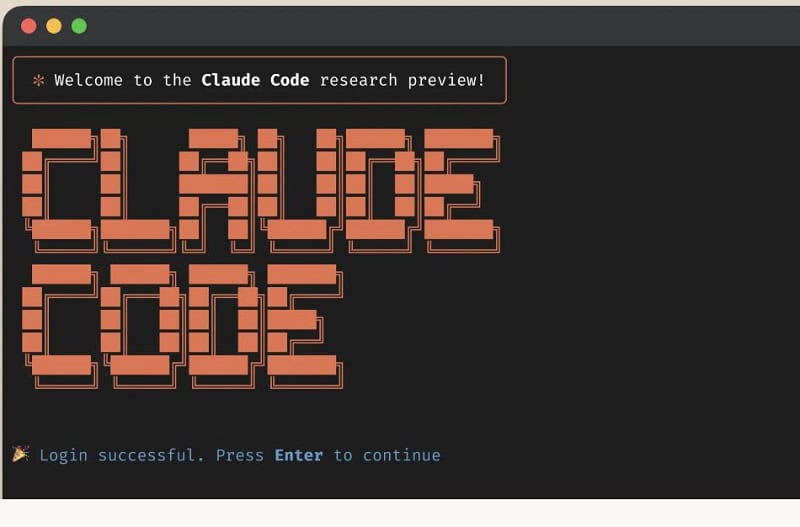
- Log in to the Claude tool via the designated login page.
- Accept the workspace trust for the project directory.
- Activate Remote Control by using the command
/remote-control.
It is important to note that API keys are not supported in this feature, and only Pro and Max users have access to it at this time.
Comparison with Cloud Version
Unlike Claude Code’s web version, which operates on cloud infrastructure, Remote Control sessions run directly on the user’s local machine. This distinction is crucial as it offers developers full control over where their code runs and how it is processed. The web and mobile interfaces serve merely as a window into the local session, ensuring that sensitive data and project configurations remain within the user’s environment.
Benefits of Local Processing
- Enhanced Security: By processing data locally, developers can mitigate risks associated with cloud-based vulnerabilities. This is particularly important in an age where data breaches are increasingly common.
- Improved Performance: Local processing often results in faster execution times and reduced latency, which can significantly enhance the development experience.
- Greater Control: Developers have complete control over their coding environment, including the tools and configurations they use, which can lead to more efficient workflows.
Claude Code in Context
Remote Control is just one of the many advancements made to Claude Code in recent months. The platform has seen rapid development, with enhancements that include:
- Agent Lifecycle Management: Improved management of AI agents, allowing for better collaboration and efficiency in team settings.
- Refined Terminal Experience: Enhancements to the terminal interface, making it more user-friendly and efficient for developers.
- Claude Opus 4.6 Model Upgrade: The latest model, equipped with adaptive thinking and a context window of 1 million tokens, significantly improves the capabilities of Claude Code.
Competitive Landscape
Claude Code competes with other AI coding tools such as GitHub Copilot, Cursor, and Amazon Q Developer. Despite the competitive nature of the market, anecdotal evidence suggests that Claude Code has garnered a more positive reception among developers compared to its competitors. While other large language models (LLMs) may perform better on paper, Claude’s user-friendly features and robust capabilities have made it a favorite among many in the development community.
Security Considerations
Despite its popularity, the security of Claude models has faced scrutiny. Researchers have previously demonstrated vulnerabilities that could lead to malicious behavior. As such, Anthropic has made it a priority to address these concerns and ensure that their tools remain secure for users. The introduction of Remote Control is a step towards reinforcing user trust by emphasizing local processing and control over sensitive data.
Future Developments
As Anthropic continues to innovate, the future of Claude Code looks promising. The company is likely to expand the capabilities of Remote Control and introduce additional features that enhance the user experience. Developers can expect ongoing improvements in collaboration tools, security measures, and overall functionality.
Conclusion
In conclusion, the introduction of Remote Control for Claude Code marks a significant advancement in the landscape of AI coding tools. By allowing developers to maintain their workflow across devices while ensuring local processing and security, Anthropic has positioned Claude Code as a strong contender in the market. As the platform continues to evolve, it will be interesting to see how it adapts to the needs of developers and the challenges of the ever-changing tech landscape.
Frequently Asked Questions
Remote Control is a feature that allows developers to continue their local development sessions on mobile devices, tablets, or browsers without losing their progress. It ensures that local sessions remain active and synchronized across devices.
Remote Control sessions run directly on the user’s local machine, providing full control over code execution and data processing. In contrast, the cloud version operates on external infrastructure, which may pose security risks.
Currently, the Remote Control feature is available only to Pro and Max subscribers of Claude Code. Users must log in and accept workspace trust for their project directory to activate the feature.
Call To Action
Stay ahead in the competitive landscape of software development by exploring the capabilities of Claude Code and its Remote Control feature. Enhance your productivity and maintain your workflow seamlessly across devices.
Note: The introduction of Remote Control for Claude Code represents a significant leap in providing developers with the flexibility and security they need in today’s fast-paced development environment.